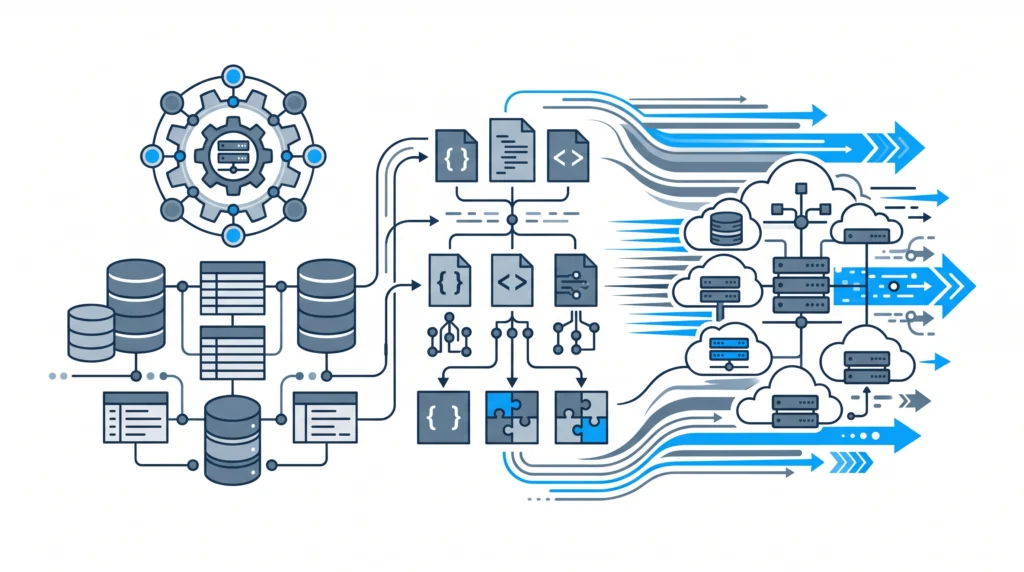
The Architecture Dilemma: Why standard WordPress setups collapse under enterprise load
Architecting an enterprise
wordpress website in 2027 requires a fundamental shift in technical strategy. When an e-commerce platform transitions from hundreds of visits per day to thousands of concurrent checkout operations, off-the-shelf themes, visual builders, and stacked third-party plugins inevitably trigger severe performance bottlenecks. Standard WooCommerce installations frequently suffer from excessive autoloaded options, unindexed
wp_postmeta queries, and inefficient lock contention on central MySQL tables.For store owners, agency founders, and senior engineers, solving these issues requires moving beyond superficial frontend caching. Because shopping carts, user sessions, and REST API endpoints bypass full-page object caches, backend architecture dictates store responsiveness. Implementing rigorous
enterprise WordPress website performance audits and PHP 8 refactoring guarantees that dynamic transactions execute with sub-100ms response times, preserving conversion rates during peak traffic spikes.
Eliminating Plugin Bloat with Native PHP 8 Optimization
A major cause of server response degradation is reliance on excessive, single-purpose plugins. Stacking 40 or 50 active plugins pollutes the global execution scope, injects unnecessary JavaScript assets into non-checkout pages, and introduces redundant database calls during the
init and
wp_loaded hooks.To establish long-term engineering health, development teams should systematically
replace heavy plugins with clean, maintainable PHP code. Modern PHP 8.2 and 8.3 features—including typed properties, attributes, match expressions, and strict typing—allow architects to engineer lean background features that execute with minimal memory overhead.By executing targeted
architectural WooCommerce plugin optimization, developers eliminate third-party dependencies while leveraging WordPress native caching primitives like Redis or Memcached via the Persistent Object Cache API.
Custom High-Performance Query Architecture in PHP 8
Below is a production-ready example of how senior backend engineers replace resource-heavy plugin functions with an optimized, object-oriented PHP 8 query strategy. This snippet retrieves category metrics directly while avoiding expensive
WP_Query meta-joins, wrapping execution in object cache hooks:
<?php
declare(strict_types=1);

namespace CodeCarePerformance;

/**
 * High-performance inventory query class designed for high-concurrency environments.
 */
final class InventoryAggregator
{
    private const CACHE_GROUP = 'codecare_inventory';
    private const CACHE_TTL   = 1800; // 30 minutes

    /**
     * Fetch aggregated product stock metrics without instantiating heavy WP_Query objects.
     */
    public static function getCategoryStockMetrics(int $termTaxonomyId): array
    {
        $cacheKey = "stock_metrics_term_{$termTaxonomyId}";
        $cachedData = wp_cache_get($cacheKey, self::CACHE_GROUP);

        if (is_array($cachedData)) {
            return $cachedData;
        }

        global $wpdb;

        // Bypassing WP_Query to prevent expensive WP_Post object instantiations and unnecessary meta joins
        $query = $wpdb->prepare(
            "SELECT p.ID, pm.meta_value AS stock_level
             FROM {$wpdb->posts} p
             INNER JOIN {$wpdb->term_relationships} tr ON p.ID = tr.object_id
             INNER JOIN {$wpdb->postmeta} pm ON (p.ID = pm.post_id AND pm.meta_key = '_stock')
             WHERE tr.term_taxonomy_id = %d
               AND p.post_type = 'product'
               AND p.post_status = 'publish'
             LIMIT 250",
            $termTaxonomyId
        );

        $results = $wpdb->get_results($query, ARRAY_A);

        if (empty($results)) {
            wp_cache_set($cacheKey, [], self::CACHE_GROUP, self::CACHE_TTL);
            return [];
        }

        $processedMetrics = array_map(static function (array $row): array {
            return [
                'product_id'  => (int) $row['ID'],
                'stock_count' => (int) ($row['stock_level'] ?? 0),
            ];
        }, $results);

        wp_cache_set($cacheKey, $processedMetrics, self::CACHE_GROUP, self::CACHE_TTL);

        return $processedMetrics;
    }
}
Database Optimization and Concurrency Management
When engineering an enterprise
wordpress website for high concurrency, database indexing and query tuning become crucial. Standard WordPress installations store all metadata in key-value pairs within `wp_postmeta`. Without dedicated indexes or High-Performance Order Storage (HPOS), running meta-queries on databases with millions of rows causes table locks and thread exhaustion.High-concurrency events require engineered data flow strategies. Implementing
enterprise database optimization and PHP 8 concurrency architectures prevents thread starvation when hundreds of users add items to their carts simultaneously. To keep servers operational under peak loads, engineers must evaluate whether a store’s core infrastructure is properly tuned by asking:
is your website engineered for high-concurrency WooCommerce traffic?Handling High-Volume Product Syncs and XML APIs
Data synchronization is another critical challenge for enterprise stores. Standard CSV importers frequently hit PHP execution limits, consume available memory, and drop active connections during large catalog updates. Replacing rigid flat-file processes with optimized asynchronous streams resolves these scale limits.To avoid severe memory leaks, engineers should read our deep dive into
why large CSV product imports crash WooCommerce and how XML APIs fix it. Implementing robust worker queues and event-driven updates allows catalogs to process thousands of stock changes smoothly. Review our architectural guide on
best practices for syncing 10,000+ products via WooCommerce APIs to build reliable inventory integrations.
Comprehensive Staging Audits and Infrastructure Engineering
Modern backend maintenance extends beyond applying core updates. Automated backups protect historic data, but they fail to detect subtle PHP fatal errors, memory spikes, or database schema regressions before code hits production. Store owners must adopt automated staging audits and continuous integration pipelines.Relying solely on nightly database dumps is insufficient; review our analysis on
why automated WordPress backups aren’t enough and the need for staging audits. Proper staging verification isolates custom code updates, evaluates third-party API dependencies, and runs automated integration tests before pushing changes live.Designing a high-performance store requires balancing frontend design with clean backend architecture. Rather than relying on heavy builder tools, technical teams should embrace
technical web design help that prioritizes architectural performance over visual bloat. Understanding how to systematically
design website architecture for high-performance WooCommerce stores lays the groundwork for high scale, low latency, and dependable uptime.Whether you are evaluating operational infrastructure choices or selecting
scalable WooCommerce infrastructure and membership models, addressing backend bottlenecks early prevents emergency engineering fire drills later on.
Partner with CodeCare WP for Enterprise Backend Engineering
Maintaining an enterprise
wordpress website demands ongoing architectural oversight, continuous performance profiling, and senior PHP optimization. When off-the-shelf plugins and standard hosting solutions fail to deliver the speed your business demands, dedicated backend engineering makes all the difference.At CodeCare WP, we specialize in resolving backend bottlenecks, refactoring legacy codebases, and stabilizing high-traffic WooCommerce stores. Explore our proven track record in our
Case Studies, review our flexible monthly enterprise maintenance plans on our
Pricing page, or contact our backend engineers today to perform a comprehensive architectural review of your enterprise WooCommerce platform.